How do I connect my device?
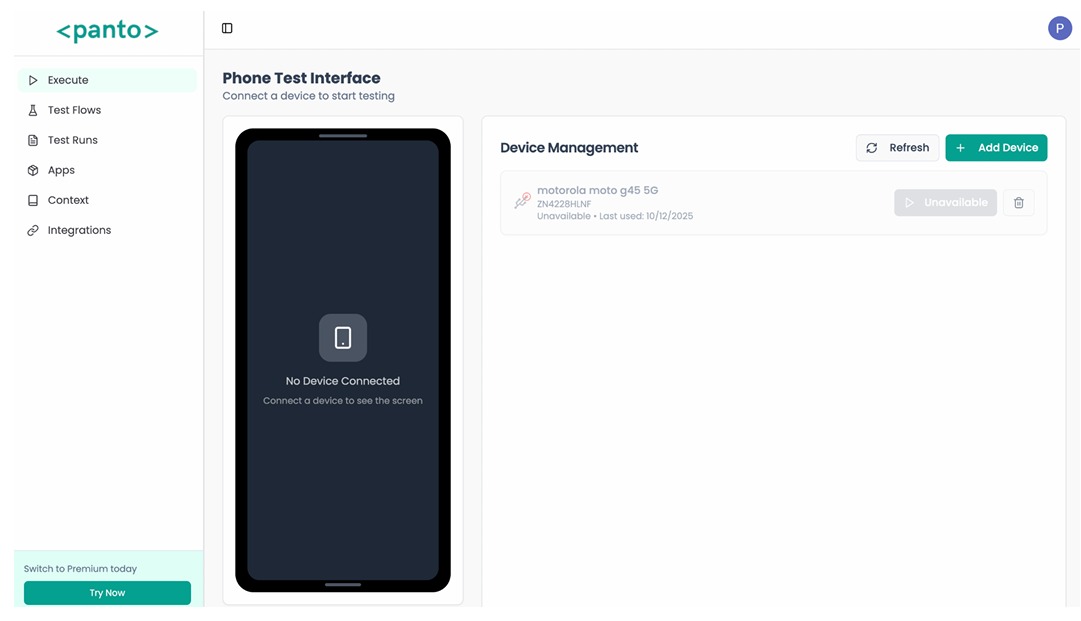
Panto works in any browser. To connect an Android device:
Connecting through Bridge
This is recommended.
See more on Bridge page: QA Bridge
Connecting through WebADB
- Plug in your device with USB
- Enable developer mode and USB debugging mode on your Android device
- Set the device to file transfer mode
- In Panto, click Add Device
- Choose USB device and select your device from the list
Once connected, the device is ready for test execution and automation.
If Panto AI is opened in more than one browser tab, it can throw an error. Close extra tabs and keep only one active tab.
If your device does not appear in the list, recheck USB debugging, cable mode (File transfer), and QA Bridge status.